
Meta Pixel 2026: Beginner’s Guide to Setup, Events, and Privacy Compliance
What Is Meta Pixel?
Meta Pixel is a browser-based tracking tool provided through Meta Platforms advertising ecosystem. It allows website owners to measure user actions after interacting with ads on platforms such as Facebook and Instagram.
In practical terms, it helps advertisers understand whether users completed actions like purchases, sign-ups, or page views after seeing or clicking an ad. Results vary depending on implementation, audience behavior, and platform attribution models.
How Meta Pixel Works in 2026
In 2026, Meta Pixel operates within a more privacy-focused digital advertising environment. Many regions require transparent data disclosure, user consent mechanisms, and clear opt-out options.
Meta Pixel typically works by:
- Placing a small JavaScript snippet on your website
- Recording predefined or custom user events
- Sending event data to Meta’s advertising system
- Using aggregated data for reporting and campaign optimization
Due to browser restrictions and privacy updates, many advertisers also explore server-side tracking options such as Conversions API to support more stable measurement. Implementation approaches may vary depending on regional regulations and platform requirements.
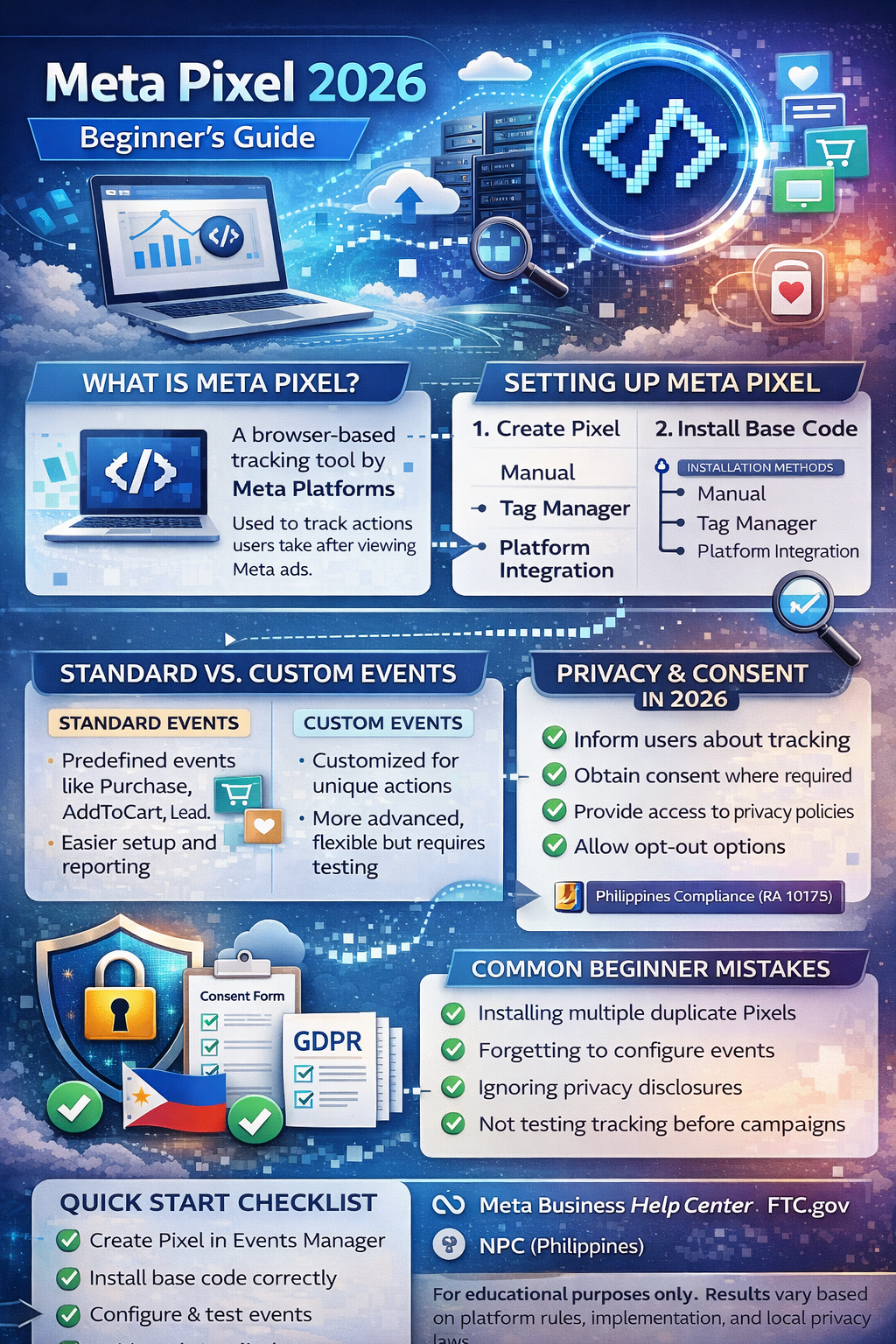
Structured overview of Meta Pixel components and digital measurement framework.
How to Install Meta Pixel (Beginner Steps)
The general setup process often includes:
- Creating a Pixel inside Meta Events Manager
- Copying the base code
- Installing it via:
- Manual website header insertion
- Tag management systems
- E-commerce platform integrations
- Verifying installation using Meta’s testing tools
Some website builders offer built-in integration options. Always review platform documentation before deployment.
Understanding Standard Events
Standard events are predefined actions recognized by Meta’s system. Examples commonly include:
-
PageView
-
ViewContent
-
AddToCart
-
InitiateCheckout
-
Purchase
-
Lead
-
CompleteRegistration
Using standardized naming improves reporting consistency and campaign optimization. However, outcomes depend on accurate implementation and audience relevance.
Custom Events vs Standard Events
Standard Events
-
Recognized automatically in reporting
-
Easier for beginners
-
Recommended for common e-commerce or lead actions
Custom Events
-
Used for unique website interactions
-
Require manual configuration
-
Offer flexibility but may require more testing
Choosing between them depends on business goals and technical capability.
Privacy & Consent Considerations in 2026
Data transparency is increasingly important across many jurisdictions. In many regions, websites using tracking tools must:
-
Inform users about tracking technologies
-
Obtain consent where required
-
Provide access to privacy policies
-
Allow opt-out or preference management
Frameworks such as GDPR-style and CCPA-style regulations emphasize user rights and data minimization. Businesses operating in the Philippines should also consider the Data Privacy Act (RA 10173).
It is generally recommended to integrate Meta Pixel with a consent management system to align with platform and regional expectations.
Common Beginner Mistakes
- Installing multiple duplicate Pixels
- Forgetting to configure events properly
- Not testing events before launching ads
- Ignoring privacy disclosures
- Relying solely on pixel data without cross-checking analytics
Careful setup and regular audits can help improve reporting accuracy.
Practical Implementation Checklist
✔ Create Pixel in Events Manager
✔ Install base code correctly
✔ Configure standard events
✔ Test using Meta diagnostics tools
✔ Connect to ad account
✔ Review privacy policy disclosures
✔ Implement consent management (if required)
✔ Monitor event matching quality
FAQ
1. Is Meta Pixel still relevant in 2026?
Meta Pixel remains commonly used for ad performance measurement, although many advertisers supplement it with server-side solutions to adapt to evolving privacy environments.
2. Does Meta Pixel track users without consent?
Consent requirements depend on local regulations. In many regions, websites are expected to disclose tracking technologies and obtain user permission where legally required.
3. Can beginners install Meta Pixel without coding?
Many website platforms provide integration tools that reduce the need for manual coding, though technical validation is still recommended.
Trusted Sources / Standards
-
Meta Business Help Center
-
Meta Events Manager
-
Google Search Central
-
Federal Trade Commission (FTC) consumer advertising guidance
-
National Privacy Commission (Philippines)
Disclaimer
This content is provided for general educational purposes only. Digital marketing results vary depending on market conditions, platform rules, audience behavior, technical implementation, and execution.
Summary
Meta Pixel is a website tracking tool used to measure ad-related actions such as purchases and sign-ups. In 2026, proper installation, event configuration, and privacy compliance are essential. Businesses should implement transparent consent practices and follow platform documentation to ensure accurate measurement and responsible data handling.