by villarramil028 | Mar 24, 2026 | Digital Marketing
AI Indexing and Consumer Protection: How Automated Discovery Systems Interact with User Rights
An educational overview of AI-driven indexing, search visibility systems, and consumer protection standards.
AI indexing refers to how artificial intelligence systems collect, organize, and retrieve digital content for search engines, recommendation systems, and automated answer platforms. This process affects how information is surfaced to users across websites, applications, and AI-generated summaries. Consumer protection frameworks, both in the Philippines and globally, establish boundaries to ensure that this process remains transparent, fair, and respectful of user rights.
Understanding AI Indexing Systems
AI indexing systems operate by:
- Crawling publicly accessible digital content
- Structuring data using machine learning models
- Ranking or retrieving information based on relevance, context, and user queries
These systems may power:
- Search engine results pages
- AI-generated summaries and answers
- Content recommendation feeds
The indexing process is influenced by signals such as content quality, structure, accessibility, and compliance with platform guidelines. Public documentation from major search platforms indicates that automated systems evaluate content using multiple ranking factors, including relevance and credibility indicators.
Consumer Protection in the Philippine Context
Several Philippine laws provide a framework for how digital content and user data should be handled:
Consumer Act of the Philippines (RA 7394)
Addresses deceptive, unfair, and misleading representations in commercial and informational content.
E-Commerce Act of 2000 (RA 8792)
Recognizes the legal validity of electronic data and transactions, including digital communications.
Data Privacy Act of 2012 (RA 10173)
Regulates the collection, processing, and storage of personal data. AI indexing systems must avoid unauthorized use of personal information.
DTI Advertising and Fair Trade Guidelines
Provide standards against false or misleading digital advertising and promotional content.
National Privacy Commission (NPC)
Oversees compliance with data protection requirements, including transparency and lawful processing.
Key Consumer Protection Considerations in AI Indexing
Transparency of Information Sources
AI systems may summarize or reformat content. Clear attribution and traceability help users understand where information originates.
Accuracy and Misrepresentation Risks
Automated summaries may omit context. Consumer protection standards discourage misleading or incomplete representations that could affect decision-making.
Data Privacy and Consent
AI indexing must respect:
- Lawful data collection
- User consent where required
- Limitations on processing personal or sensitive data
Algorithmic Fairness
Ranking systems may influence visibility. Fairness considerations include avoiding discriminatory or biased outcomes in content exposure.
Disclosure of Automated Content
Global standards encourage clear identification when users are interacting with AI-generated outputs rather than human-authored material.
Role of Platforms and Content Publishers
Digital platforms and content publishers share responsibility for compliance:
- Platforms maintain indexing systems, moderation policies, and transparency tools
- Publishers provide structured, accurate, and non-deceptive content
Public platform documentation often outlines:
- Content quality guidelines
- Spam and manipulation policies
- Data usage and privacy disclosures
Evolution of AI in Search and Discovery
Search systems have evolved from keyword-based indexing to AI-assisted understanding of intent and context. This includes:
- Natural language processing
- Semantic search models
- AI-generated summaries and answer engines
As these systems expand, regulatory attention has increased to address:
- Misinformation risks
- Data privacy concerns
- Automated decision-making transparency
FAQs
What is AI indexing?
AI indexing is the automated process of collecting and organizing digital content using machine learning systems so it can be retrieved in response to user queries.
How does consumer protection apply to AI-generated answers?
Consumer protection principles apply by requiring accuracy, transparency, and avoidance of misleading information, even when content is generated or summarized by AI systems.
Does the Data Privacy Act apply to AI indexing systems?
Yes. If personal data is processed, AI systems must comply with lawful processing, data minimization, and user rights under the Data Privacy Act of 2012.
Trusted Sources
- Google Search Central (official documentation)
- National Privacy Commission (Philippines)
- Department of Trade and Industry (DTI) guidelines
- OECD digital consumer protection frameworks
- Academic research on AI and information retrieval systems

Diagram outlining indexing stages and regulatory context
Disclaimer
This content is for general informational and educational purposes only. It does not constitute professional marketing, legal, financial, or business advice. References to digital marketing tools, platforms, SEO strategies, or AI systems do not imply endorsement or guarantee results. Readers are encouraged to consult verified official sources and licensed professionals before making business or marketing decisions.

by villarramil028 | Mar 24, 2026 | Digital Marketing
Ethical Guidelines for AI Content Creation
An educational overview of responsible practices in AI-generated content across digital platforms
This article outlines general ethical principles for creating and publishing AI-generated content. It explains how transparency, accuracy, accountability, and data protection apply within digital environments. The discussion references Philippine regulations such as the Data Privacy Act of 2012 (RA 10173) and Consumer Act of the Philippines (RA 7394), along with global standards related to consumer protection and responsible AI use.
Transparency in AI-Generated Content
Transparency involves clearly indicating when content is created or assisted by AI systems. This helps audiences understand how the information was produced and reduces the risk of misinterpretation.
Common transparency practices include:
- Disclosing AI involvement where relevant
- Avoiding presentation of AI-generated content as human-authored without clarification
- Providing context about how information is generated or summarized
Accuracy and Verifiability
AI-generated content should be based on verifiable and reliable information. Since AI systems generate outputs based on patterns in data, they may produce inaccuracies or outdated details.
Ethical considerations include:
- Cross-checking factual information with trusted sources
- Avoiding unsupported claims or statements
- Clearly distinguishing between facts, assumptions, and hypothetical examples
Accountability and Responsibility
Responsibility for published content remains with the individual or organization that distributes it, regardless of AI involvement.
Key points include:
- Reviewing AI outputs before publication
- Correcting errors when identified
- Ensuring compliance with applicable laws and platform policies
Data Privacy and Protection
AI systems may process personal or behavioral data. Ethical use requires alignment with privacy regulations, including the Data Privacy Act of 2012 (RA 10173).
Important principles:
- Collect only necessary data
- Inform users about data usage
- Protect personal information from unauthorized access
The National Privacy Commission (NPC) provides guidance on responsible data handling practices in the Philippines.
Avoidance of Deceptive or Misleading Content
AI content should not misrepresent facts, exaggerate claims, or create false impressions. This aligns with consumer protection standards under Philippine law and global advertising guidelines.
Examples of practices to avoid:
- Fabricated data or statistics
- Misleading headlines or summaries
- Implicit claims of guaranteed outcomes
Bias and Fairness Considerations
AI systems may reflect biases present in training data. Ethical content creation includes efforts to minimize unfair or discriminatory outputs.
Approaches include:
- Reviewing content for unintended bias
- Using inclusive and neutral language
- Avoiding stereotypes or unsupported generalizations
Intellectual Property and Content Ownership
AI-generated content may raise questions about originality and ownership. Ethical use involves respecting existing intellectual property rights.
Considerations include:
- Avoiding unauthorized use of copyrighted material
- Citing sources when applicable
- Ensuring generated content does not replicate protected works
Platform and Policy Compliance
Digital platforms maintain guidelines for AI-generated and automated content. These policies often address:
- Content authenticity
- Disclosure requirements
- Prohibited practices (e.g., spam, manipulation)
Reviewing official platform documentation helps ensure alignment with current standards.
Context
The increased use of AI in content creation has led to expanded discussions on digital ethics, governance, and accountability. Regulatory bodies and technology platforms continue to update policies to address risks such as misinformation, data misuse, and automated manipulation. These developments reflect broader efforts to maintain trust in digital information systems.
FAQs
What is AI-generated content?
AI-generated content refers to text, images, or other media created using artificial intelligence systems. These systems analyze patterns in data to produce outputs based on user inputs or prompts.
Why is transparency important in AI content creation?
Transparency helps audiences understand how content is produced. It reduces confusion and supports informed interpretation of information.
How does data privacy relate to AI content?
AI systems may use or process personal data. Privacy laws require that such data is handled responsibly, with proper consent and protection measures in place.
Trusted Sources
- National Privacy Commission (Philippines)
- Department of Trade and Industry (DTI) consumer protection guidelines
- Google Search Central documentation
- Official platform policy resources (Meta, TikTok, others)
- Academic research on AI ethics and digital governance

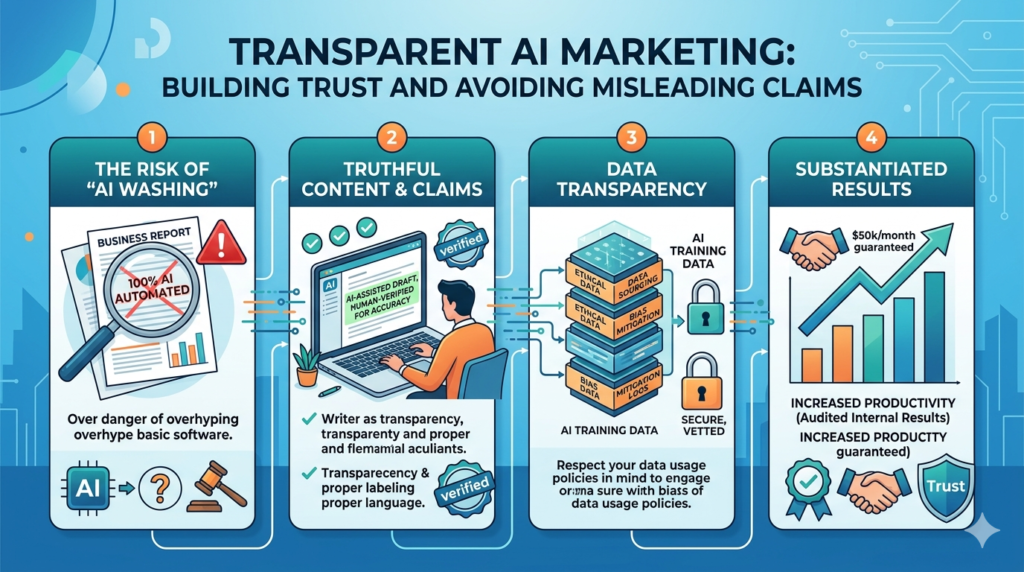
Diagram outlining core ethical components in AI-generated content systems
Disclaimer
This content is for general informational and educational purposes only. It does not constitute professional marketing, legal, financial, or business advice. References to digital marketing tools, platforms, SEO strategies, or AI systems do not imply endorsement or guarantee results. Readers are encouraged to consult verified official sources and licensed professionals before making business or marketing decisions.
by iamrolanddiaz | Feb 19, 2026 | Principeng Hari
Content Outline
- What Is GTM Consent Mode?
- Why Consent Mode Matters in 2026
- Consent Mode vs Cookie Banner: What’s the Difference?
- Consent Types Explained (ad_storage, analytics_storage, etc.)
- How GTM Consent Mode Works (Beginner Explanation)
- Step-by-Step Setup in Google Tag Manager
- Step 1 — Prepare Your Tracking Stack
- Step 2 — Configure Default Consent
- Step 3 — Set Consent Updates (After User Choice)
- Step 4 — Test Consent Mode Properly
- Recommended Default Consent Settings (Examples)
- Integrating Consent Mode with Cookie Banners (CMPs)
- Common GTM Consent Mode Mistakes to Avoid
- Best Practices for GA4 + Google Ads + Consent Mode
- Consent Mode Reporting Expectations (What Changes?)
- Practical Checklist
- FAQ
What Is GTM Consent Mode?
Google Tag Manager (GTM) Consent Mode is a privacy-focused setup that helps websites adjust how Google tags behave based on a visitor’s consent choices. Instead of firing tracking cookies immediately, GTM can send “consent signals” that indicate whether the user allowed analytics or advertising tracking.
Consent Mode is commonly used to align tracking with privacy expectations and data protection standards in many regions.
Why Consent Mode Matters in 2026
In 2026, digital marketing teams face increasing pressure to balance performance tracking with privacy compliance. Many regions have stricter expectations for how businesses handle cookies, remarketing, and behavioral tracking.
Consent Mode helps because it:
-
supports consent-based tag behavior
-
improves transparency and user trust
-
reduces risk of non-compliant tracking configurations
-
allows limited modeling signals (depending on platform behavior and setup)
This does not replace legal compliance, but it can support a more privacy-aware implementation.
Consent Mode vs Cookie Banner: What’s the Difference?
A common beginner misunderstanding is assuming Consent Mode is the same as a cookie banner.
Cookie Banner (CMP)
A cookie banner is the front-end interface that:
Consent Mode
Consent Mode is the back-end logic that:
-
tells Google tags what they are allowed to do
-
adjusts cookies and tracking behavior
-
ensures tags respond properly to consent status
In simple terms:
Cookie banners collect consent. Consent Mode enforces it inside tracking systems.
Consent Types Explained
Google Consent Mode uses multiple consent categories. The most common ones include:
| Consent Type |
What It Controls |
Typical Use |
| ad_storage |
Advertising cookies |
Google Ads remarketing |
| analytics_storage |
Analytics cookies |
GA4 session tracking |
| ad_user_data |
Ad-related user data |
Enhanced conversions logic |
| ad_personalization |
Personalization signals |
remarketing customization |
| functionality_storage |
site functionality cookies |
language preferences |
| security_storage |
security cookies |
fraud prevention |
Not all websites need every consent type. Many beginner setups focus on analytics_storage and ad_storage first.
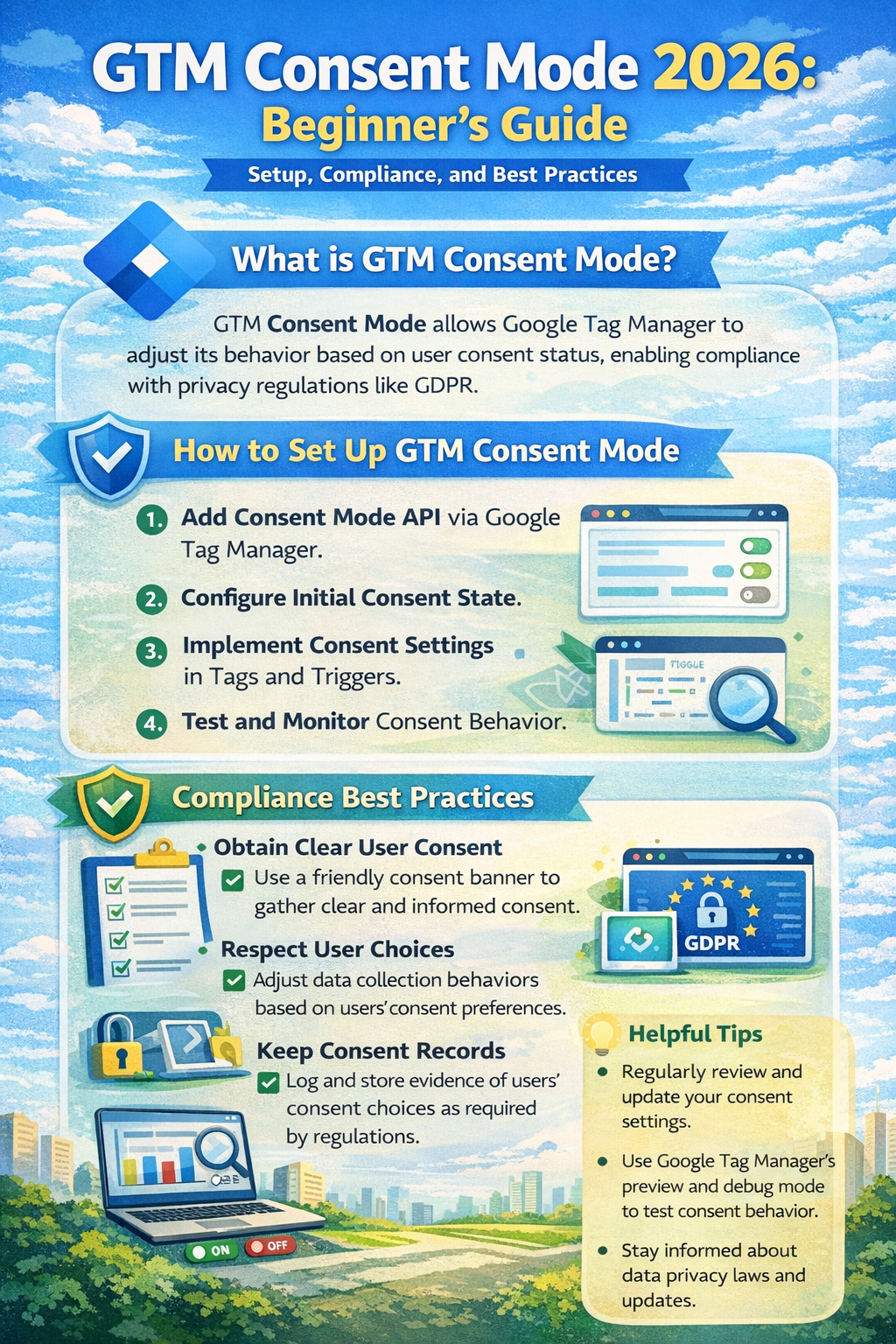
Structured visual summary of GTM Consent Mode 2026 configuration layers and consent state framework.
How GTM Consent Mode Works
Consent Mode works by setting rules such as:
-
If user consent is denied, tags may still load but behave in a limited way.
-
If user consent is granted, tags can store cookies and track normally.
In practice, this means:
This approach is often used to avoid firing full tracking cookies before consent is captured.
Step-by-Step Setup in Google Tag Manager
Step 1 — Prepare Your Tracking Stack
Before setting up Consent Mode, confirm:
-
your GTM container is installed correctly
-
GA4 configuration tag (or GA4 event tags) are present
-
Google Ads conversion tags are properly configured
-
you have a cookie banner or CMP available
Even a simple cookie banner can work if it can trigger consent updates.
Step 2 — Configure Default Consent in GTM
Default consent defines what happens before the user makes a choice.
Recommended beginner approach:
In GTM:
- Go to Tags
- Create a new tag
- Select Consent Initialization – Google Tag
- Configure default consent states
Example default settings:
This ensures tracking cookies are not stored before permission is granted.
Step 3 — Set Consent Updates After User Choice
Once the user accepts or rejects cookies, your cookie banner should trigger an event.
In GTM, create a tag that runs on the consent action event:
-
“Accept All Cookies”
-
“Accept Analytics”
-
“Reject All”
-
“Save Preferences”
Then use the Consent Update command to set values like:
If a user rejects ads but accepts analytics:
This gives more granular control and is considered a best practice in many compliance-focused setups.
Step 4 — Test Consent Mode Properly
Testing is essential because many consent setups appear correct but still fire cookies too early.
Recommended testing methods:
What to verify:
-
cookies do not appear before consent
-
tags behave differently depending on consent
-
consent update triggers are firing correctly
Recommended Default Consent Settings
Privacy-First Default (Recommended for many regions)
Analytics-Friendly Default (More aggressive, not always recommended)
This approach may not be appropriate in many jurisdictions unless analytics cookies are considered essential, which is not always the case.
Integrating Consent Mode with Cookie Banners
A Consent Management Platform (CMP) is usually the easiest way to implement Consent Mode correctly.
A CMP typically provides:
-
built-in cookie scanning
-
preference center UI
-
consent logs
-
triggers for GTM
Common integration flow:
- User lands on site
- Default consent = denied
- CMP banner displays
- User selects preferences
- CMP pushes consent status into GTM
- GTM updates consent mode states
- GA4 and Ads tags adjust accordingly
When using a CMP, confirm it supports:
Common GTM Consent Mode Mistakes to Avoid
❌ Setting consent tags to fire too late
Consent initialization must run early. Otherwise cookies may fire before consent.
❌ Forgetting to update consent after user action
If you set default denied but never update, you may lose analytics visibility entirely.
❌ Allowing tags to fire without consent checks
Some tags (especially custom HTML tags) can bypass consent controls unless configured properly.
❌ Not documenting consent categories
You should clearly map cookie categories to:
-
analytics
-
ads
-
functionality
This improves transparency and makes audits easier.
❌ Assuming Consent Mode is “legal compliance”
Consent Mode is a technical solution, not a legal certification.
Best Practices for GA4 + Google Ads + Consent Mode
Best practice checklist:
-
Implement default denied for analytics and ads unless justified
-
Use granular consent options (not only “accept all”)
-
Separate GA4 events from conversion tags for better control
-
Use server-side tagging carefully (still requires consent logic)
-
Maintain clear cookie and privacy policies
For Google Ads:
Consent Mode Reporting Expectations
Consent Mode may affect reporting and attribution because fewer cookies are stored when users deny consent.
In many setups, you may observe:
-
reduced remarketing audience size
-
fewer attributed conversions
-
more reliance on modeled data (depending on platform behavior)
However, Consent Mode can still support measurement continuity in a more privacy-respecting way.
Actual reporting outcomes vary based on:
-
traffic volume
-
consent rate
-
regional rules
-
tag setup quality
Practical Checklist
✅ GTM installed correctly
✅ GA4 tag configured
✅ Google Ads conversion tag configured (if needed)
✅ Consent Initialization tag created
✅ Default consent states set to denied
✅ Cookie banner connected to GTM
✅ Consent update triggers created
✅ Consent categories mapped properly
✅ Testing done in Preview + browser cookies
✅ Privacy policy and cookie notice updated
✅ Documentation saved for audit readiness
FAQ
What is the difference between Consent Mode v2 and older Consent Mode?
Consent Mode v2 expands consent signals and aligns better with modern advertising privacy requirements, especially for Google Ads-related data signals.
Do I still need a cookie banner if I use GTM Consent Mode?
Yes. Consent Mode controls tag behavior, but a cookie banner or CMP is typically required to collect user preferences.
Will Consent Mode reduce my GA4 traffic?
It may reduce tracked sessions and events if users deny analytics consent. Reporting impact depends on consent rates and implementation.
Is GTM Consent Mode required for all websites?
Not always, but it is widely recommended for websites using Google tags in regions where consent-based tracking is expected.
Can I use Consent Mode with non-Google tags?
Yes, but you may need additional GTM consent checks and tag-level controls to prevent third-party cookies from firing without consent.
Trusted Sources / Standards
-
Google Tag Manager Documentation (Consent Mode and consent settings)
-
Google Analytics (GA4) Documentation
-
Google Ads Help Center (conversion tracking policies)
-
GDPR-style transparency and consent principles (general reference)
-
Data privacy best practices aligned with global consumer protection expectations
Disclaimer
This content is provided for general educational purposes only. Digital marketing results vary depending on market conditions, platform rules, audience behavior, and execution. Consent requirements may differ by jurisdiction, so businesses should review applicable privacy laws and platform policies.
Summary
GTM Consent Mode in 2026 helps websites adjust Google tag behavior based on user consent preferences. It works alongside a cookie banner by setting default consent states and updating them after a visitor accepts or rejects tracking. A proper setup improves privacy alignment, reduces compliance risk, and supports more responsible analytics and advertising measurement depending on platform capabilities.